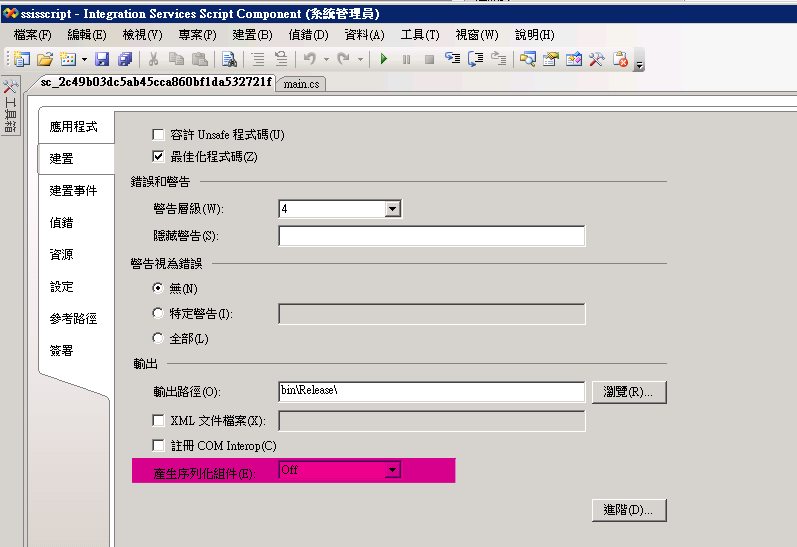
在增加WebService引用建置時會報錯
錯誤 1 Task failed because "sgen.exe" was not found, or the correct Microsoft Windows SDK is not installed. The task is looking for "sgen.exe" in the "bin" subdirectory beneath the location specified in the InstallationFolder value of the registry key HKEY_LOCAL_MACHINE\SOFTWARE\Microsoft\Microsoft SDKs\Windows\v6.0A. You may be able to solve the problem by doing one of the following: 1) Install the Microsoft Windows SDK for Windows Server 2008 and .NET Framework 3.5. 2) Install Visual Studio 2008. 3) Manually set the above registry key to the correct location. 4) Pass the correct location into the "ToolPath" parameter of the task. sc_2c49b03dc5ab45cca860bf1da532721f解決方式
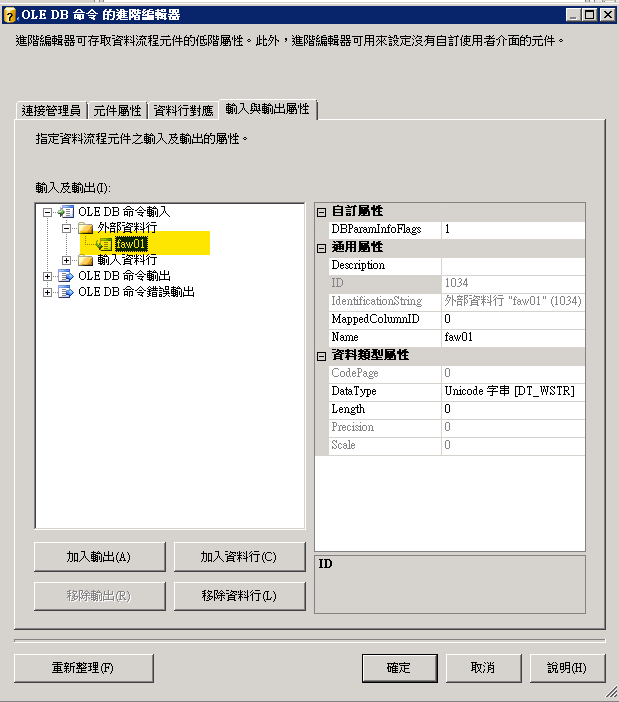
#oracle無法使用參數的解法
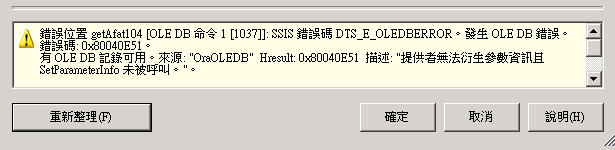
手工增加參數即可解決
#衍生一個今天日期的欄位(沒有時間)
(DT_DBDATE)GETDATE()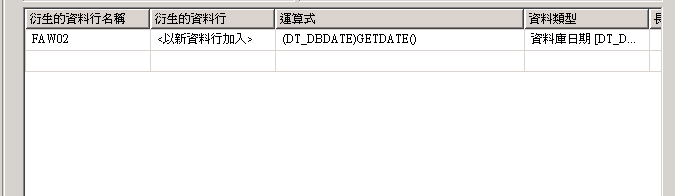
#長文字轉換
int dataSize = (int)Row.RECORD.Length;
var blobData = Row.RECORD.GetBlobData(0, dataSize);
string stringData = System.Text.Encoding.Unicode.GetString(blobData);